AlphaStat
ProductionIdentifies symbols better/worse than market by comparing regression line slopes.
AlphaStat
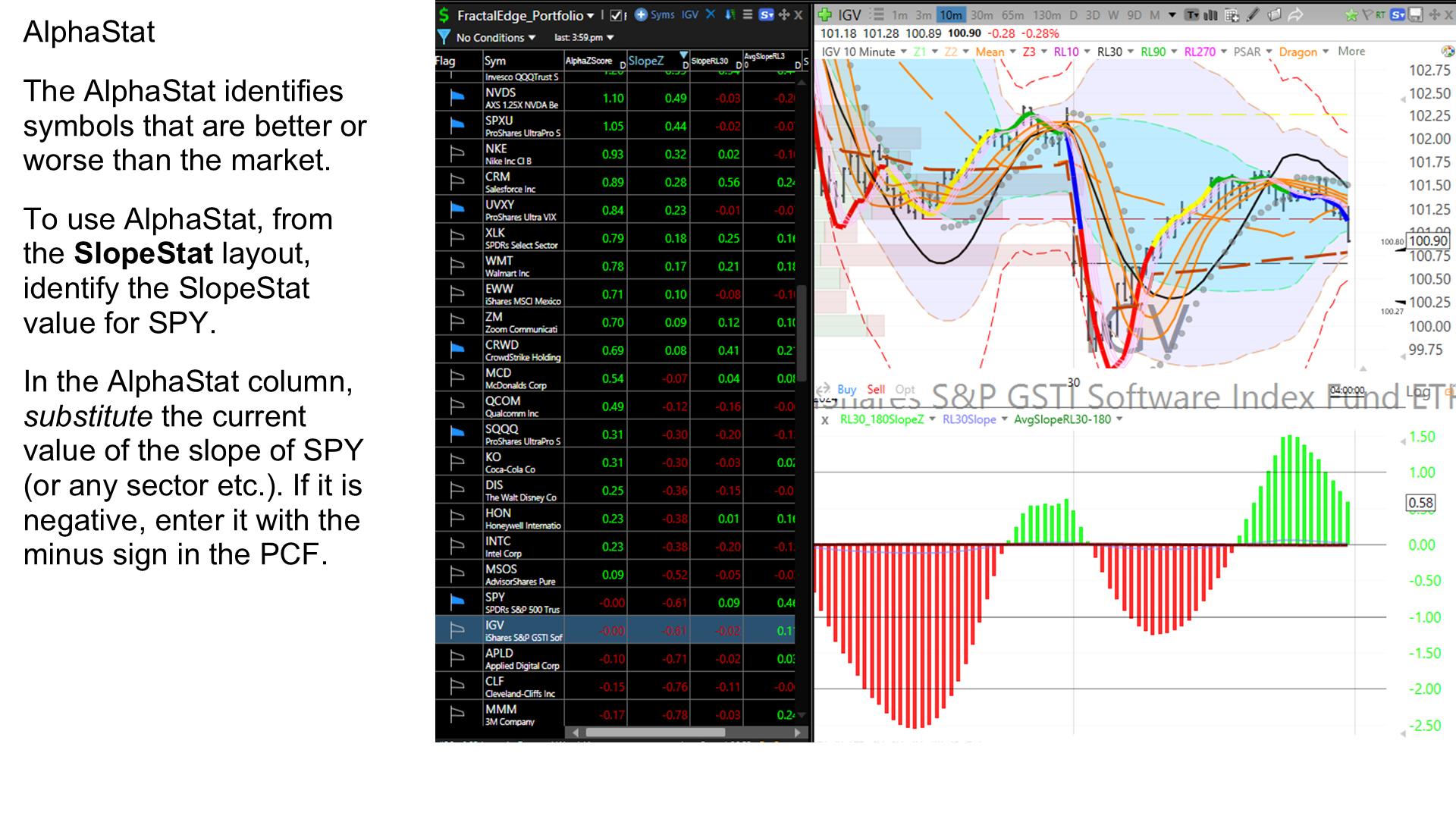
Identifies symbols that are performing better or worse than the market by comparing regression line slopes. Removes market bias to isolate true alpha.
- From the SlopeStat layout, identify the SlopeStat value for SPY (or any sector).
- In the AlphaStat column, right-click and edit the PCF formula.
- Substitute the current slope value of SPY on the line: const #ms = <value>.
- Repeat for the ZS_AlphaSlope column.
- Sort by AlphaSlope or ZS_AlphaSlope to find symbols outperforming or underperforming the market.
Requires a manual step: enter the current SPY SlopeStat value into the PCF formula before use. If the slope is negative, enter it with the minus sign.
AlphaStat
Identifies symbols that are performing better or worse than the market by comparing regression line slopes. Removes market bias to isolate true alpha.
- From the SlopeStat layout, identify the SlopeStat value for SPY (or any sector).
- In the AlphaStat column, right-click and edit the PCF formula.
- Substitute the current slope value of SPY on the line: const #ms = <value>.
- Repeat for the ZS_AlphaSlope column.
- Sort by AlphaSlope or ZS_AlphaSlope to find symbols outperforming or underperforming the market.
Requires a manual step: enter the current SPY SlopeStat value into the PCF formula before use. If the slope is negative, enter it with the minus sign.
Alphastat Layout | LifelongEdge
Alpha Stat Layout
AlphaStat Layout
The AlphaStat identifies symbols that are better or worse than the market. We subtract the slopestat of the market, SPY in our case to get a net value representing AlphaStat.
To use Alphastat, you must first have your SlopeStat layout setup and use it to manually input a value in the alphaStat column.
In the AlphaStat layout for both, the AlphaSlope column and the ZS_AlphaSlope column, substitute the value for SPY from the Slope_RL30 column of the SlopeStat layout. If this value is negative, enter it with the minus sign in the PCF.
Please click here for detailed instructions on manual entry of the Slope_Rl30 value.